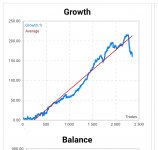
The Reaper EA MT5 3.0 version
Author's live signals
Forex pairs: 20 pairs: Run THIS SET on 1 EURUSD M5 chart and it will run all 20 pairs.
Recommended Brokers: Icmarkets, Axitrader
Recommended Brokers: Chocoping
The alternative set file 'to force higher TP for a certain time
Make sure the time setting as follows:
Some traders have wrong trading hours when using the AutoGMT.
The reason is that your VPS is not having the correct time settings
The easiest way to set it up correctly is this:
A) Right click the time in your taskbar, and select "adjust date/time"
B) For "TimeZone" select UTC +00:00, LONDON time
C) Then, make sure your Time (especially the "hour") corresponds with the actual time in London, which you can simply google (Time London) or check here for example: https://www.timeanddate.com/worldclock/uk/london

Author's live signals
Forex pairs: 20 pairs: Run THIS SET on 1 EURUSD M5 chart and it will run all 20 pairs.
Recommended Brokers: Icmarkets, Axitrader
Recommended Brokers: Chocoping
- AutoGMT needs to add this URL "https://www.worldtimeserver.com/" to the list of allowed URLs in the menu 'Tools -> Options -> Expert Advisors' BEFORE you launch the EA
- Run on M5 only. Run on all pairs a separate chart OR run all pairs from 1 chart using the OneChartSetup, EURUSD M5 recommended)
- Optimized for 20 pairs
- It is recommended to run all these pairs to spread the risk.
- It is recommended to use "Mode B" as it will be more stable on most brokers.
- Mode B is more strict in entry, and uses a slightly wider Stoploss to prevent stop-outs due to spread widening.
- Mode A has lower Stoploss and more trades, and can have very good results on brokers with a very low nightly spread.
- I would recommend using "LotsizeStep" as AutolotMode. (automatic money management)
- LotsizeStep values -> Low risk: 500; Medium Risk: 250; High Risk: 150
- IMPORTANT:
- This EA only enters trades for 2 hours per day, from 1 hour before rollover, till 1 hour after rollover. For most brokers, that means from 23h marketwatch, till 1h.
- The EA uses limit orders to enter trades. Slippage will mostly be positive on entry with this method.
- It is recommended to run the EA on a low spread ECN broker. i.e. Icmarkets, Axitrader
- Minimum recommended accountsize: 250$ for running all 14 pairs, but you could run only a few pairs on 100$ as well.
The alternative set file 'to force higher TP for a certain time
Make sure the time setting as follows:
Some traders have wrong trading hours when using the AutoGMT.
The reason is that your VPS is not having the correct time settings
The easiest way to set it up correctly is this:
A) Right click the time in your taskbar, and select "adjust date/time"
B) For "TimeZone" select UTC +00:00, LONDON time
C) Then, make sure your Time (especially the "hour") corresponds with the actual time in London, which you can simply google (Time London) or check here for example: https://www.timeanddate.com/worldclock/uk/london
Attachments
Last edited: